Product
Mail Books Ecommerce Assistant
Pricing Partners Demo Security Q&A Log in Request access

TALISK_HQ

Your books are already done

Nothing to learn. Almost nothing to do.

Take a look around ›

Free to startNo card needed

Request access

What HQ does for you

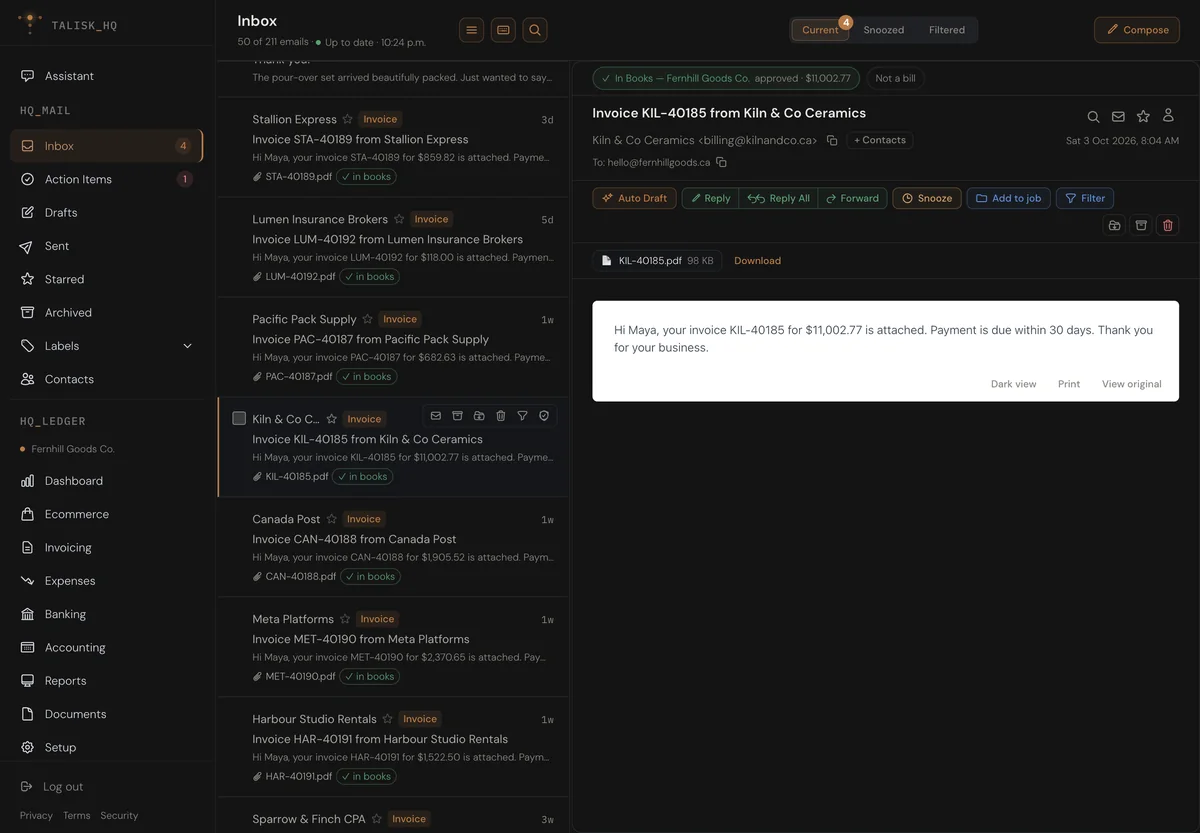
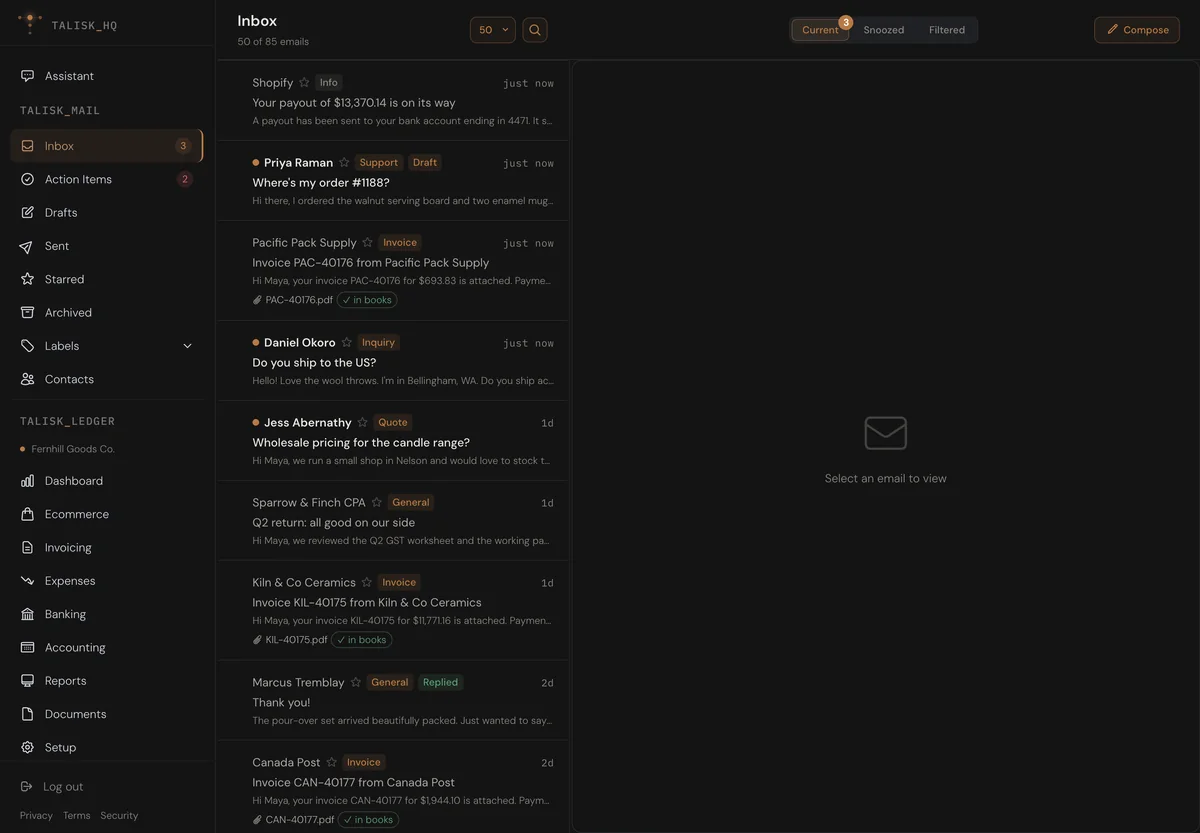
In your books before you open it

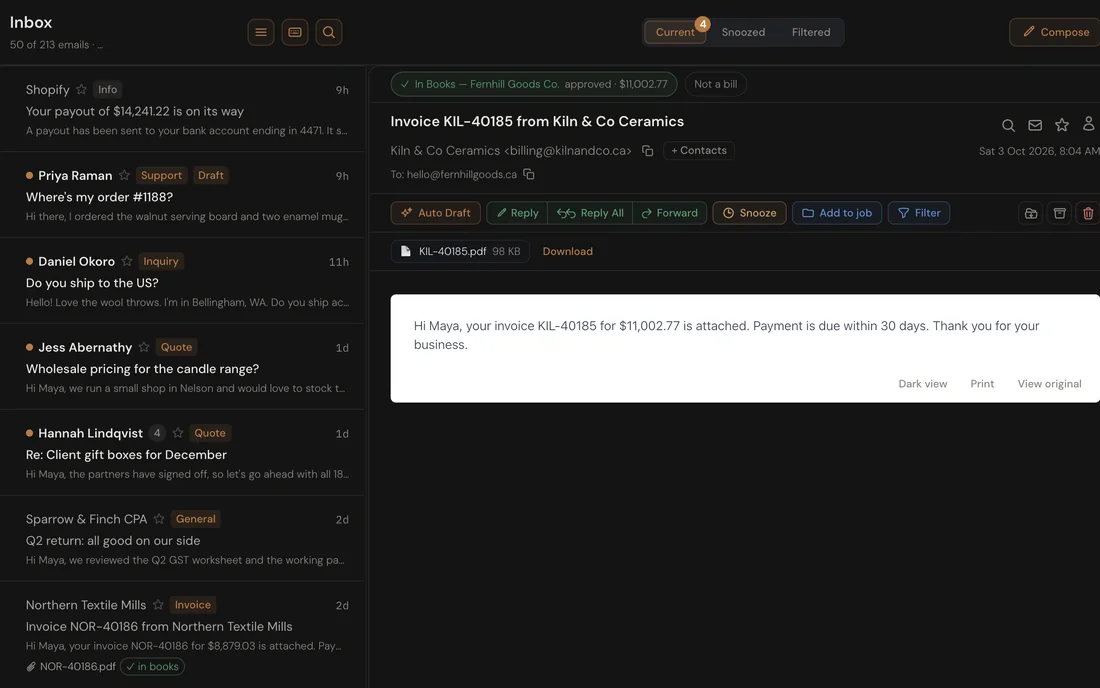
Your supplier's invoice is read as it lands.

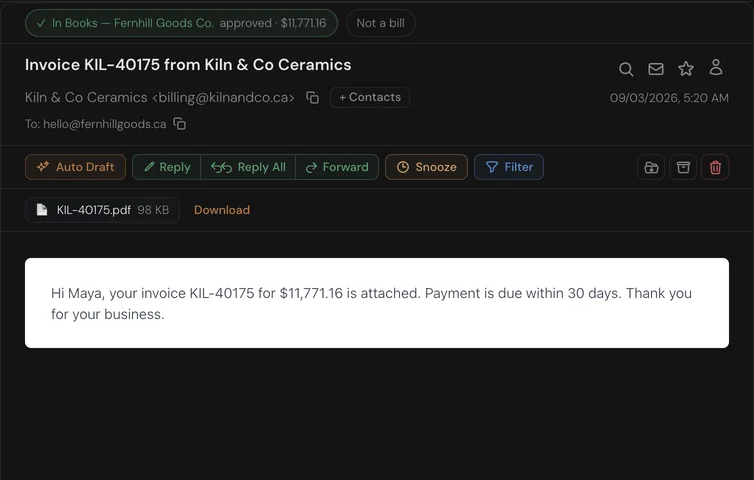
The HQ inbox with a Kiln & Co Ceramics invoice open and tagged In Books, beside other supplier invoices tagged in books

Payouts that explain themselves

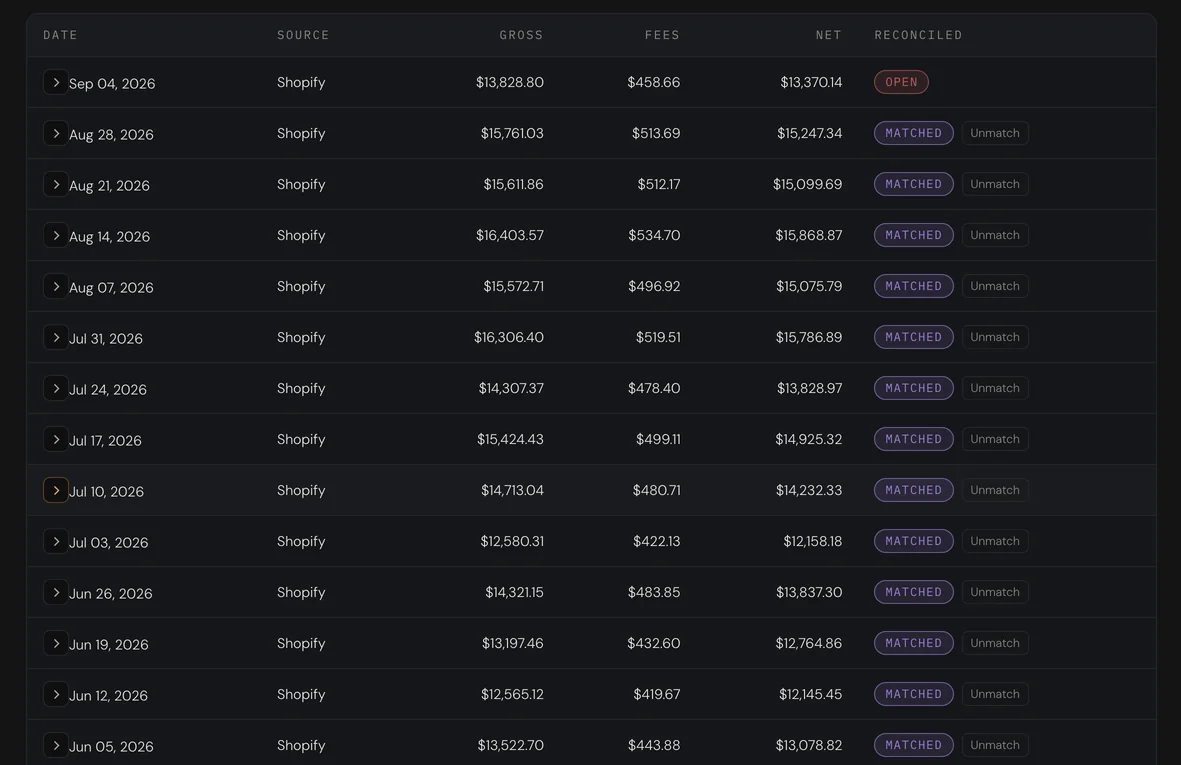
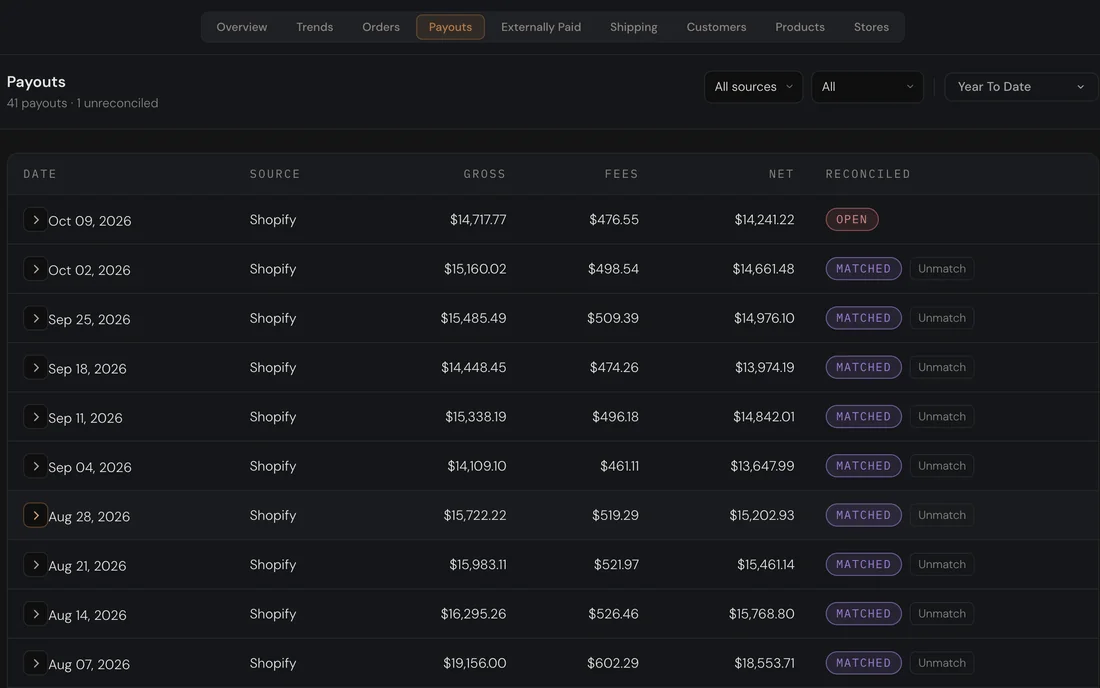
Sales, fees, refunds and tax, split out as they settle.

Ecommerce payouts listed by date with gross, fees and net, each marked Matched to its bank deposit

Every number, traced to its source

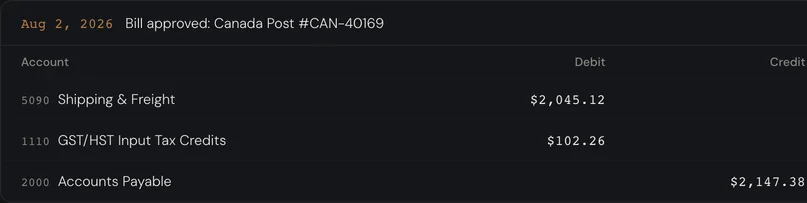
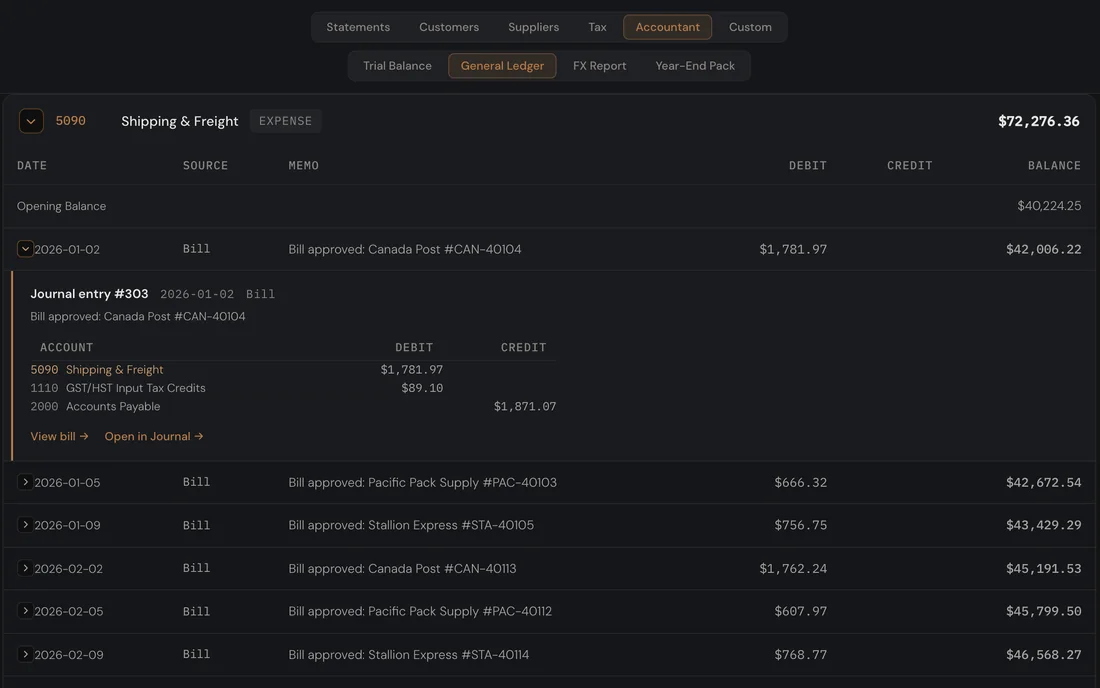
Open any figure and find the email it came from.

The Shipping and Freight account in the general ledger, with a Canada Post bill's journal entry opened to its lines and a link to the bill

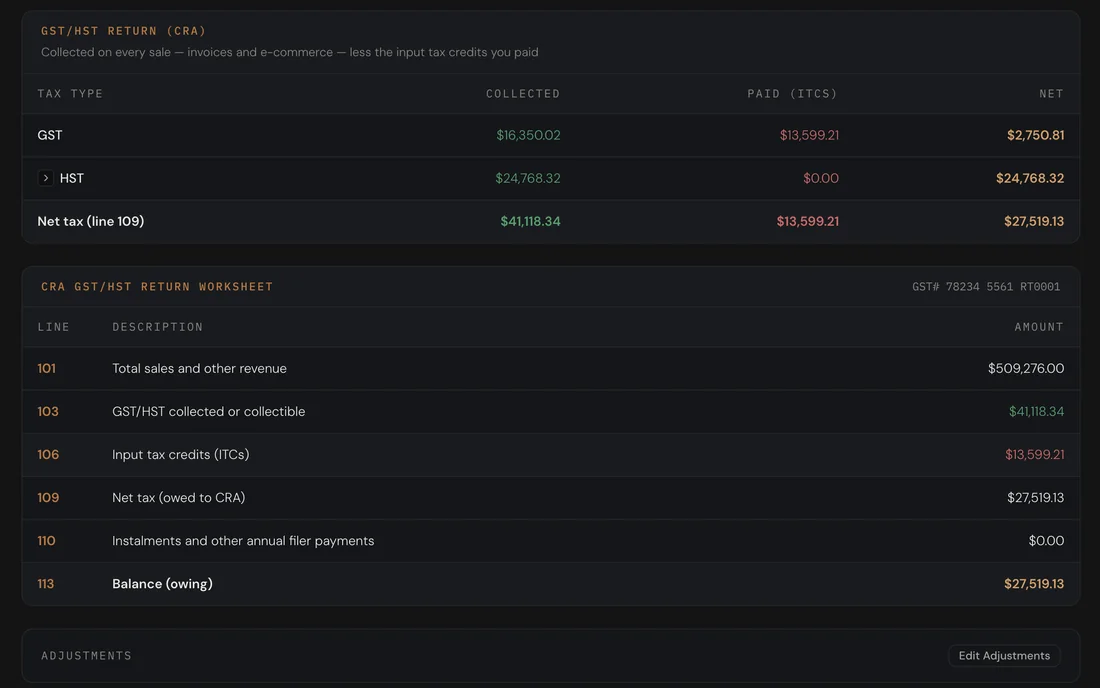
Your GST return, ready before it's due

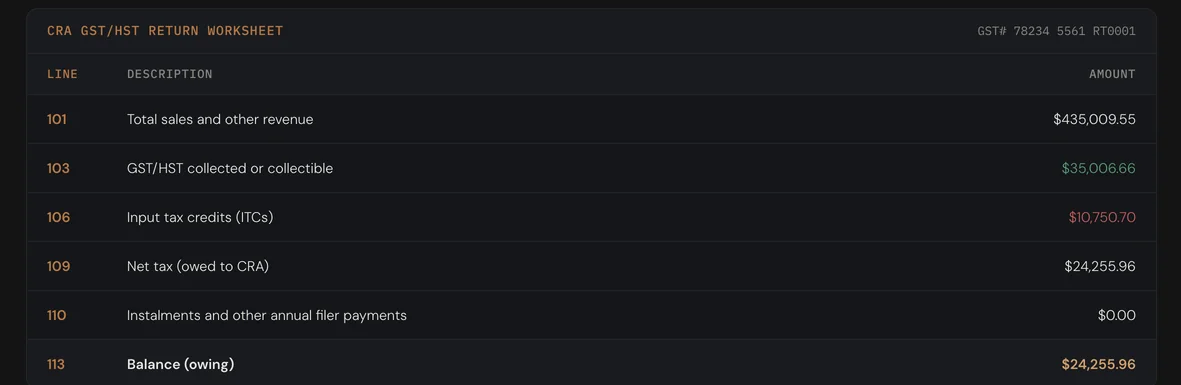
The worksheet fills in as your sales and bills come in.

The GST/HST return summary and worksheet, lines 101 to 113, filled in from the books

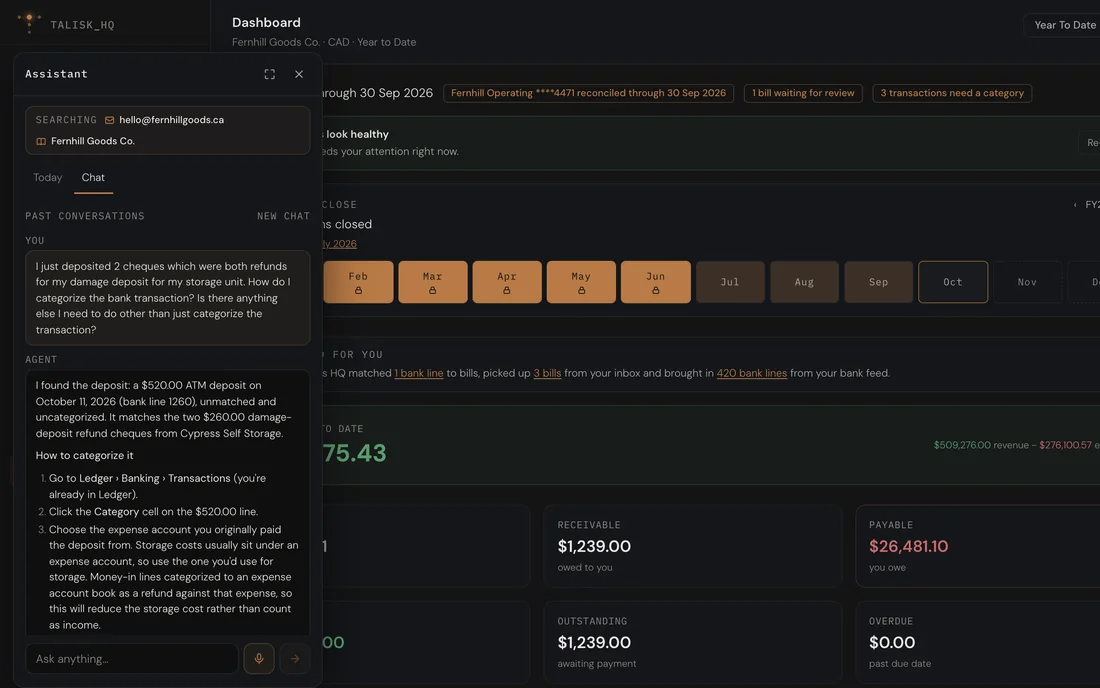
Ask your books a question

Answers come from your own ledger, with the working shown.

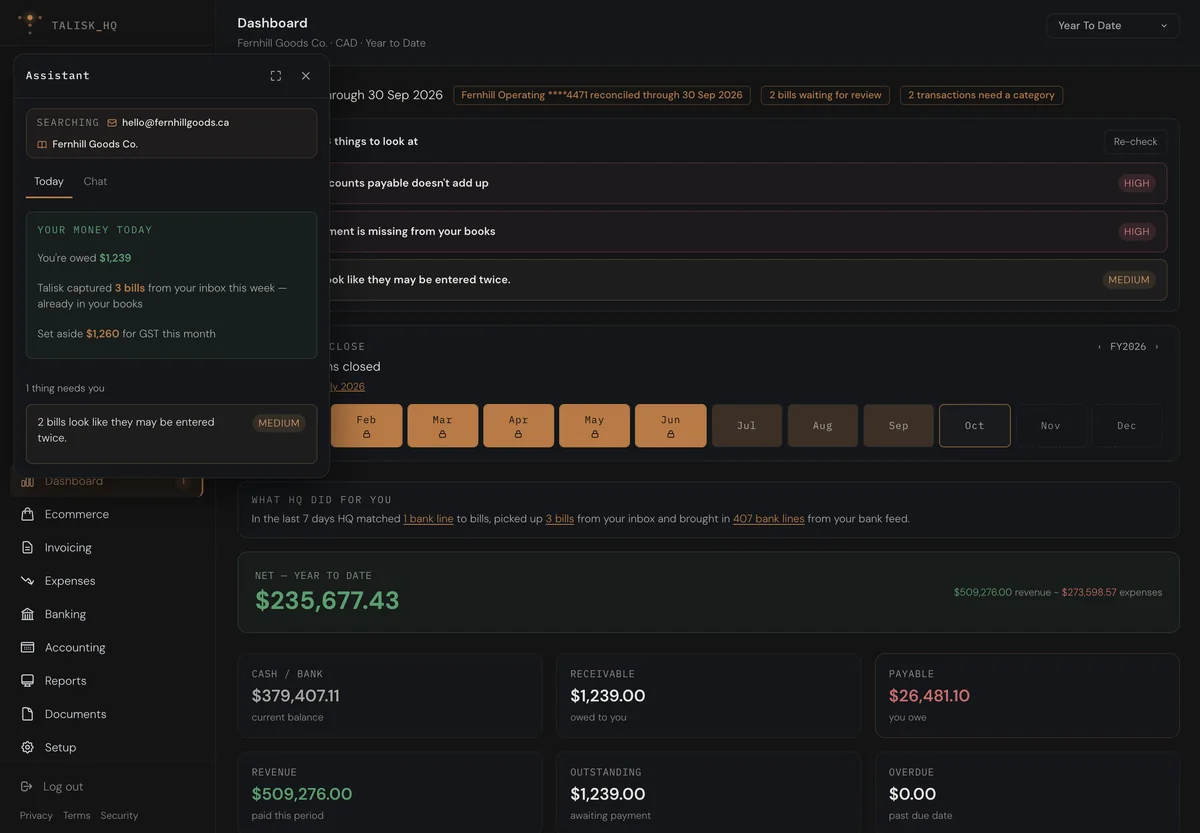
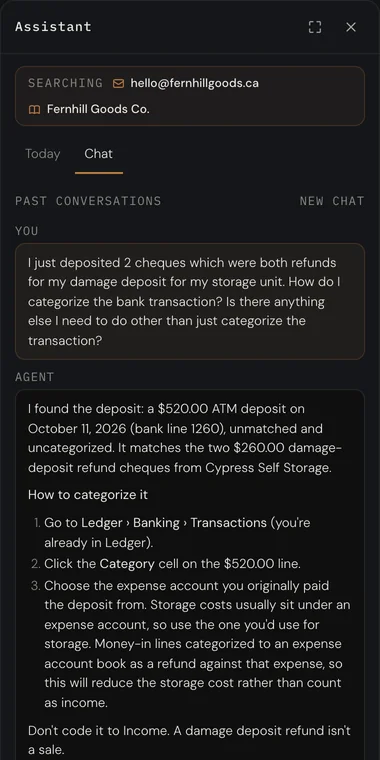
The assistant answering a question about two deposited refund cheques, open beside the books dashboard

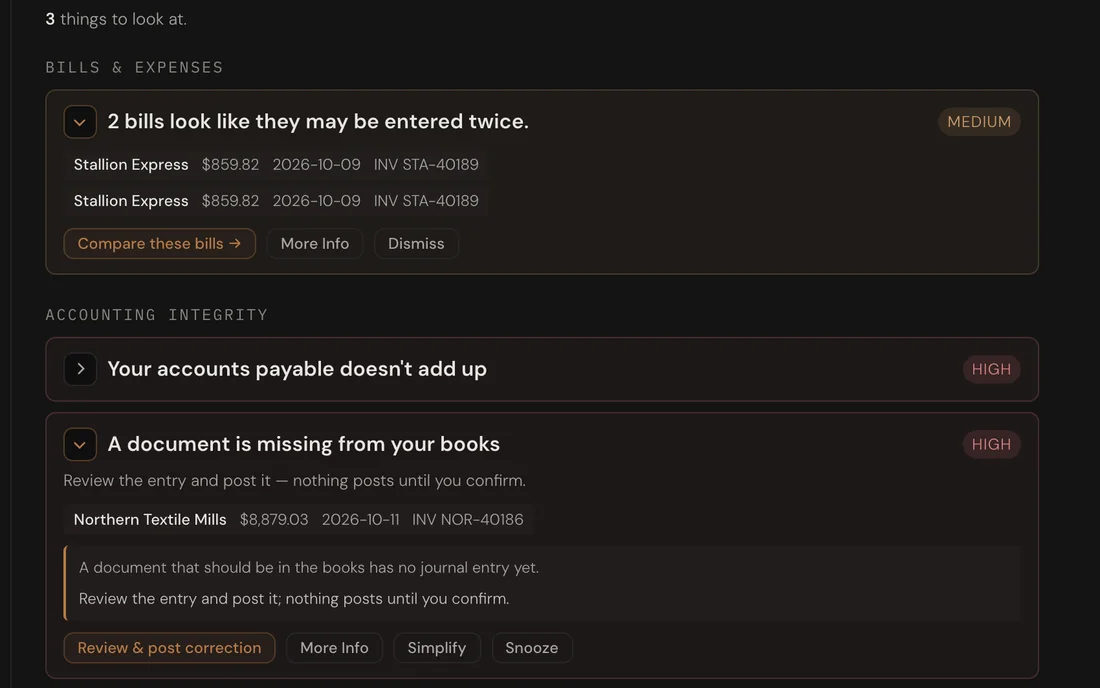
It tells you what needs a look

Missing documents, double entries and deadlines, found for you.

Books health listing three things to look at: two bills entered twice, accounts payable that doesn't add up, and a document missing from the books

Take a look around HQ

One headquarters for the whole business

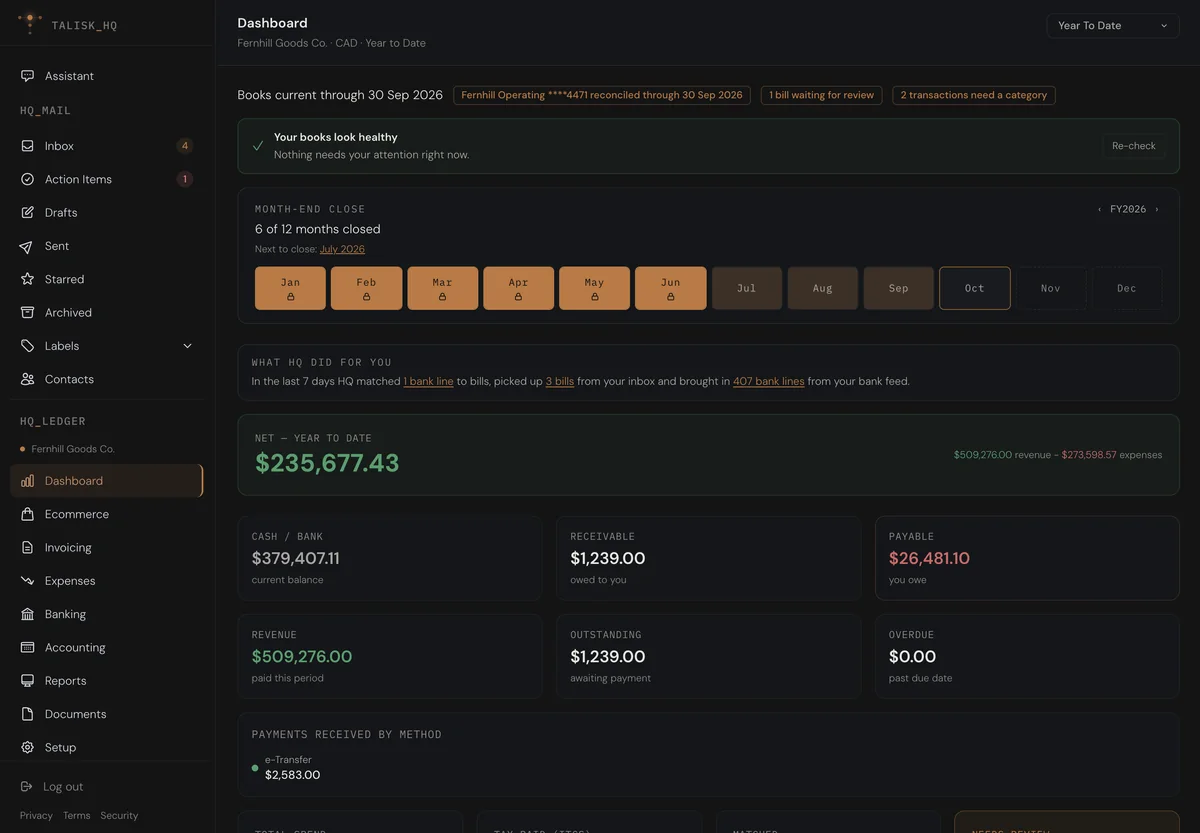
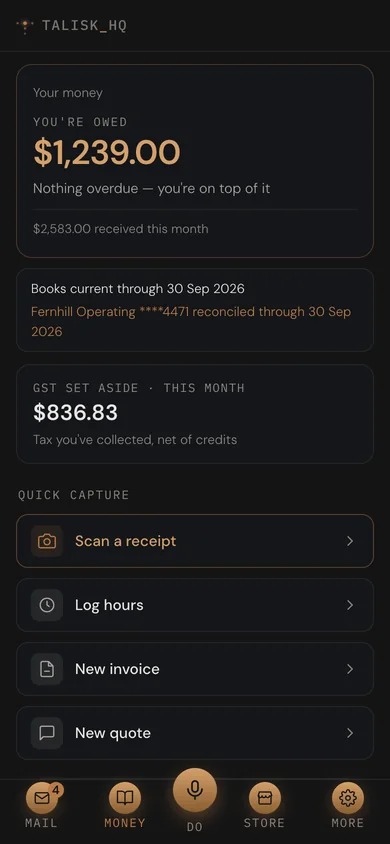
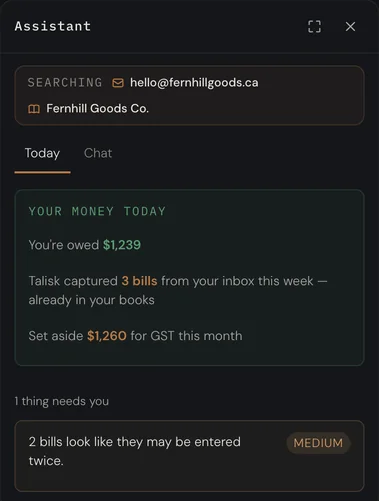
The HQ inbox, with supplier invoices tagged In books The Ecommerce overview for last month: sales, fees, payout and store contribution The books dashboard: cash, receivable, payable and the month-end close The assistant open on its Today list beside the books dashboard

Your inbox. Supplier invoices are tagged as they land, with their amount and where they stand in your books.

Nobody opened a store
to learn bookkeeping.

It does the bookkeeping. You just keep an eye on it.

How it works

From an email to a P&L, without you typing a number

01
A bill lands

A supplier emails their invoice. HQ reads the PDF, pulls the total and the GST, and puts it in your books before you have opened the message.

An open supplier email with an In Books strip showing the captured amount.
02

It waits for your review

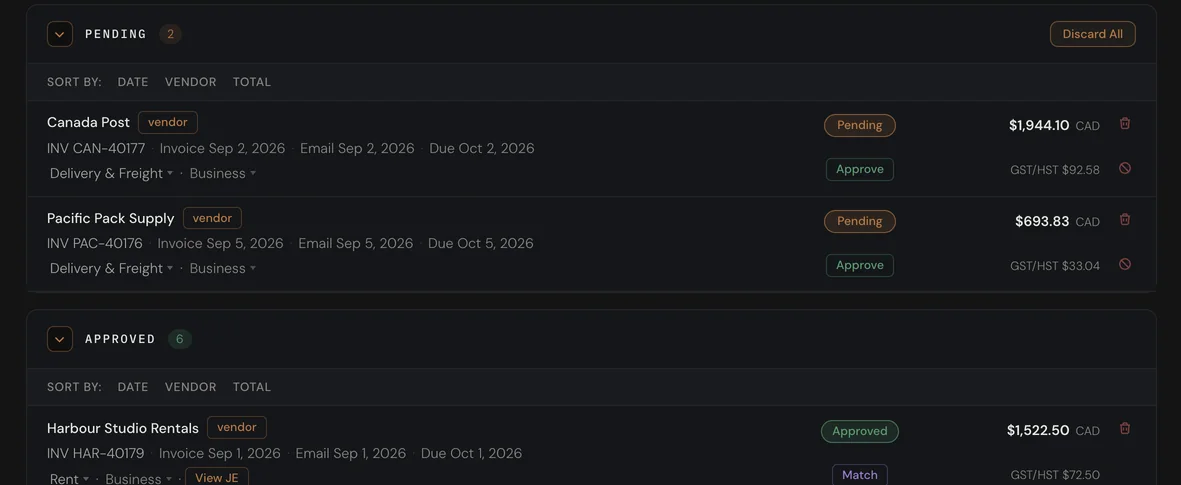
The bill sits in Bills for you to check, with the account and the tax filled in. Approve it, or set a standing rule for a supplier you trust, and it posts.

Bills waiting for review, each with its category, tax and an Approve button.
03

The bank line finds its bill

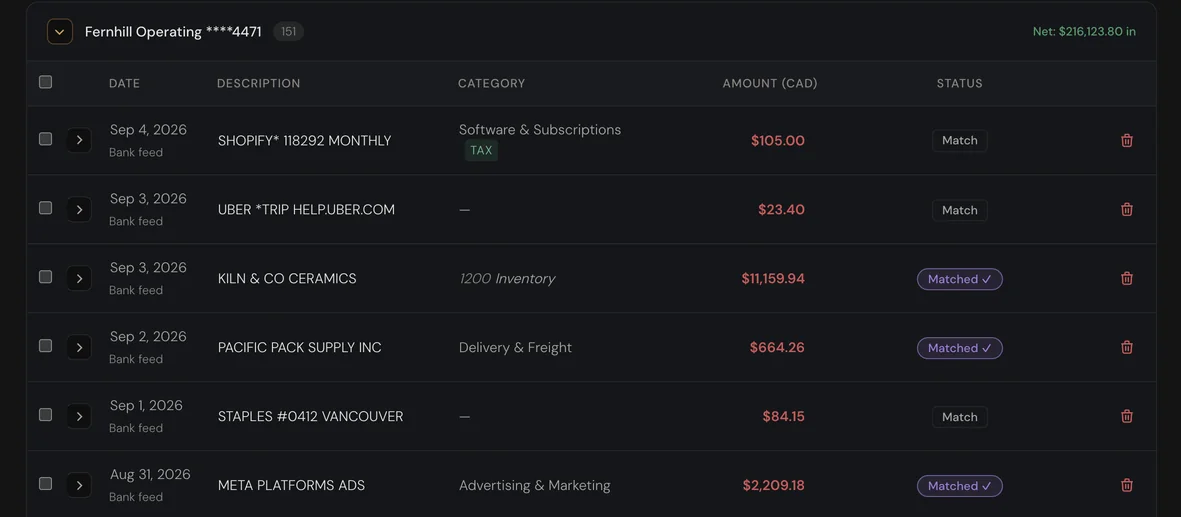
When the payment clears, the feed matches it to the bill on its own. Shopify payouts, fees and refunds are matched the same way.

Bank feed transactions, most marked Matched, one marked Payout.
04

The P&L was right before you asked

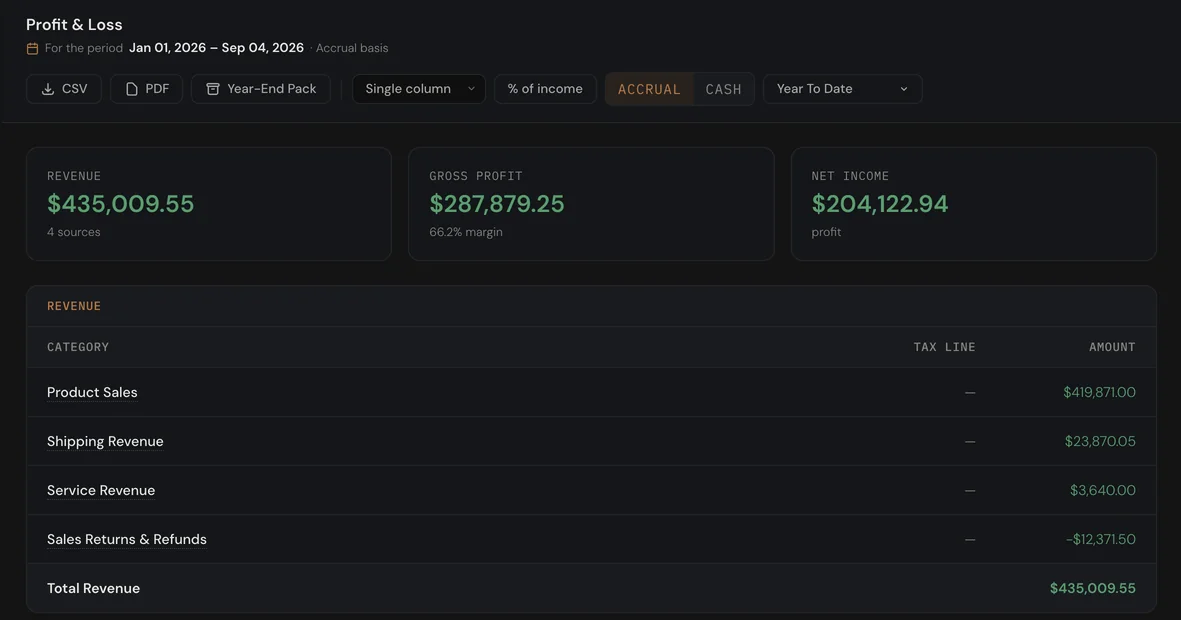
Every report is built from the ledger, so the figure on screen is the figure your accountant gets. Nothing is retyped, so nothing drifts.
A profit and loss statement with revenue, gross profit and net income.
No bookkeeping required

You don't need to know bookkeeping

Ask in your own words. HQ answers from your books, checks them in the background, and shows you what to do next.

01

Ask in your own words

Deposited two refund cheques and not sure where they go? Ask. HQ finds the bank line, tells you how to categorize it, and says plainly what it couldn't confirm.

The assistant answering a question about two refund cheques deposited at the ATM: it finds the $520.00 deposit, ties it to the storage company's refund email, and lists the steps to categorize it
02

It notices before you do

In the background, HQ checks your books for what's missing or doesn't add up: bills waiting too long, bank lines with no category, overdue invoices, tax deadlines. The assistant opens on that list and takes you straight to each one.

The assistant open on its Today list of things in the books that need a look.
03

It shows you the fix. You decide

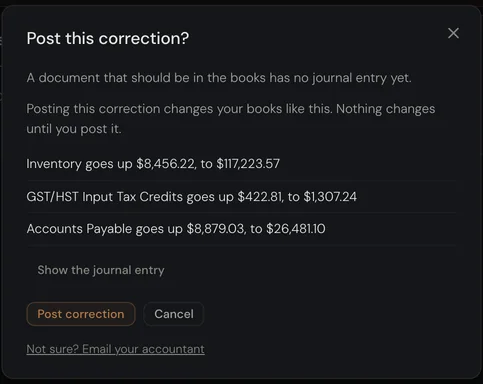
When something is missing, HQ shows the entry it would post and why. Nothing posts until you confirm it.

A correction sheet showing the entry HQ would post for a missing document, waiting for confirmation.
See what it can do
Provenance

Every number has a receipt

Every figure on the P&L opens up: the entries that made it, the bill behind each one, the email it came in on. At year-end there is nothing to dig for.

P&L
Journal entry
The email
Always current

Month-end on the first, not the fifteenth

Every Shopify payout posts as it settles, with fees, refunds and tax already split. Every deposit is matched to its payout. Every month is reconciled and ready for you to sign off.

  1. Jan✓
  2. Feb✓
  3. Mar✓
  4. Apr✓
  5. May✓
  6. Jun✓
  7. Jul✓
  8. Aug✓
  9. Sep·
A list of weekly Shopify payouts with gross, fees and net, every one marked Matched.
Three cards: GST/HST collected from sales, paid on expenses, and the net remittable amount owed to CRA.
The GST/HST return worksheet with lines 101, 103, 106, 109 and the balance owing.
Canadian tax

The return is written before it is due

GST, HST and PST are tracked as the sales and the bills come in. On filing day the worksheet is ready, line by line. What you filed is frozen, so it cannot quietly change afterwards.

Your accountant gets a ledger.
Not a shoebox.

Ecommerce

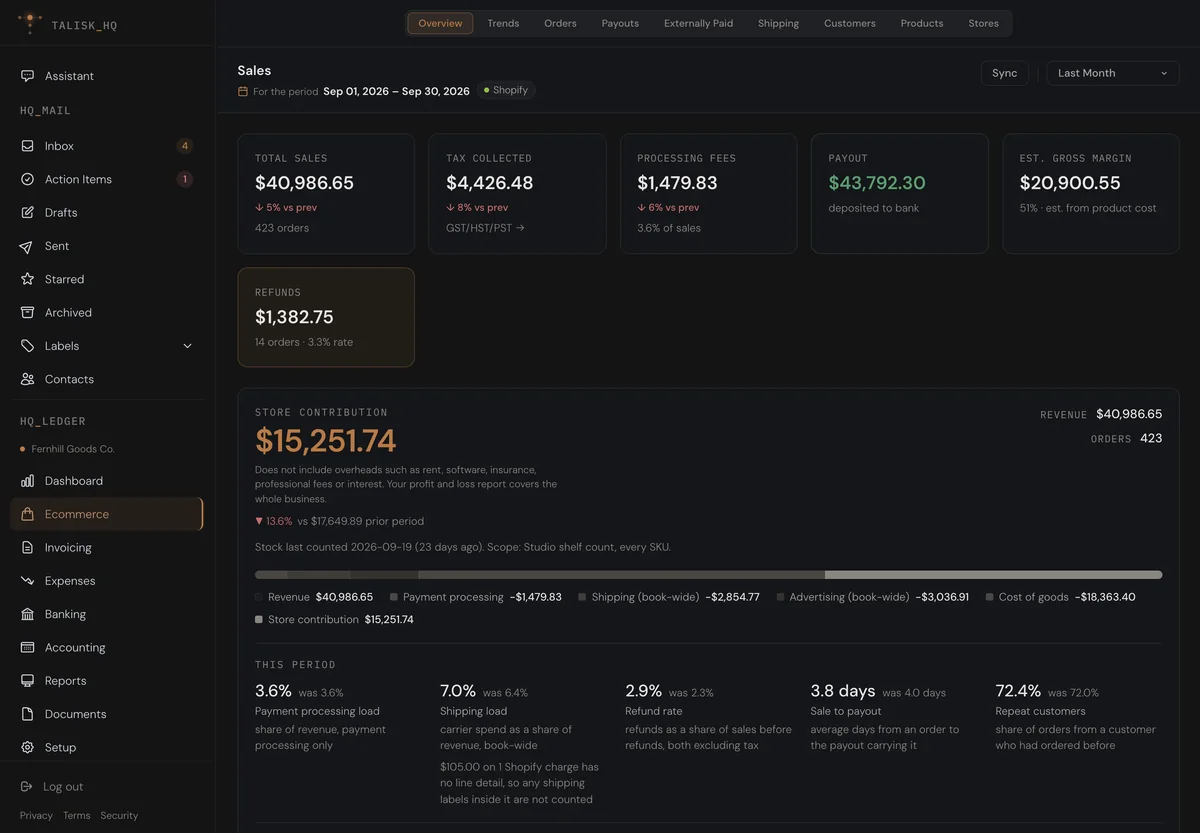
Know what the store actually makes

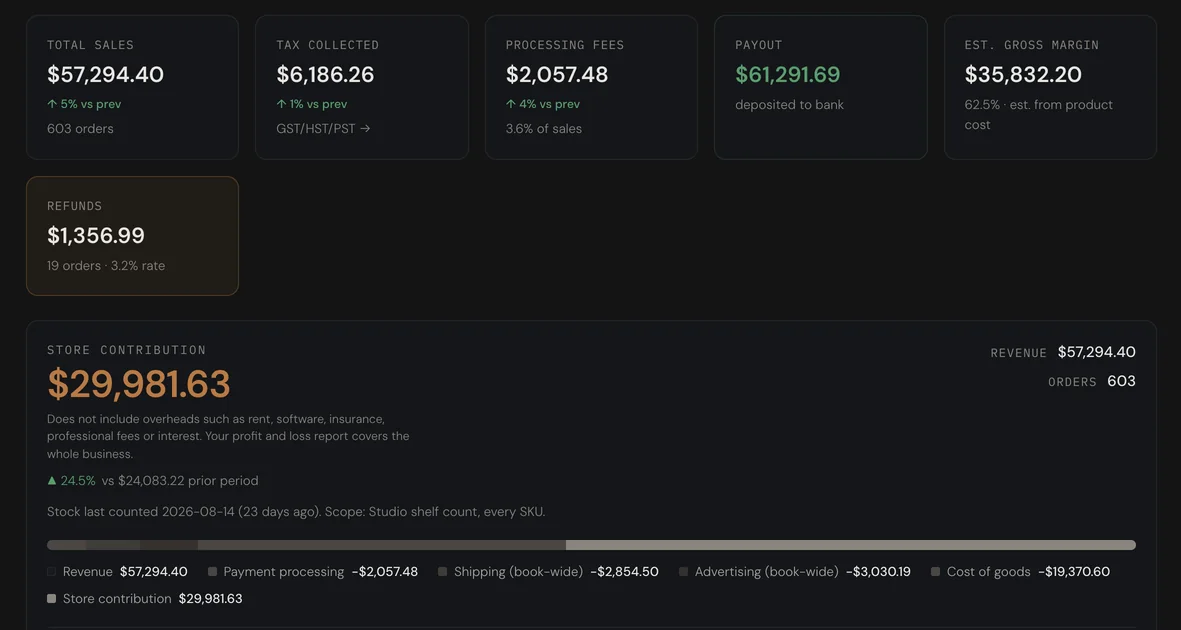
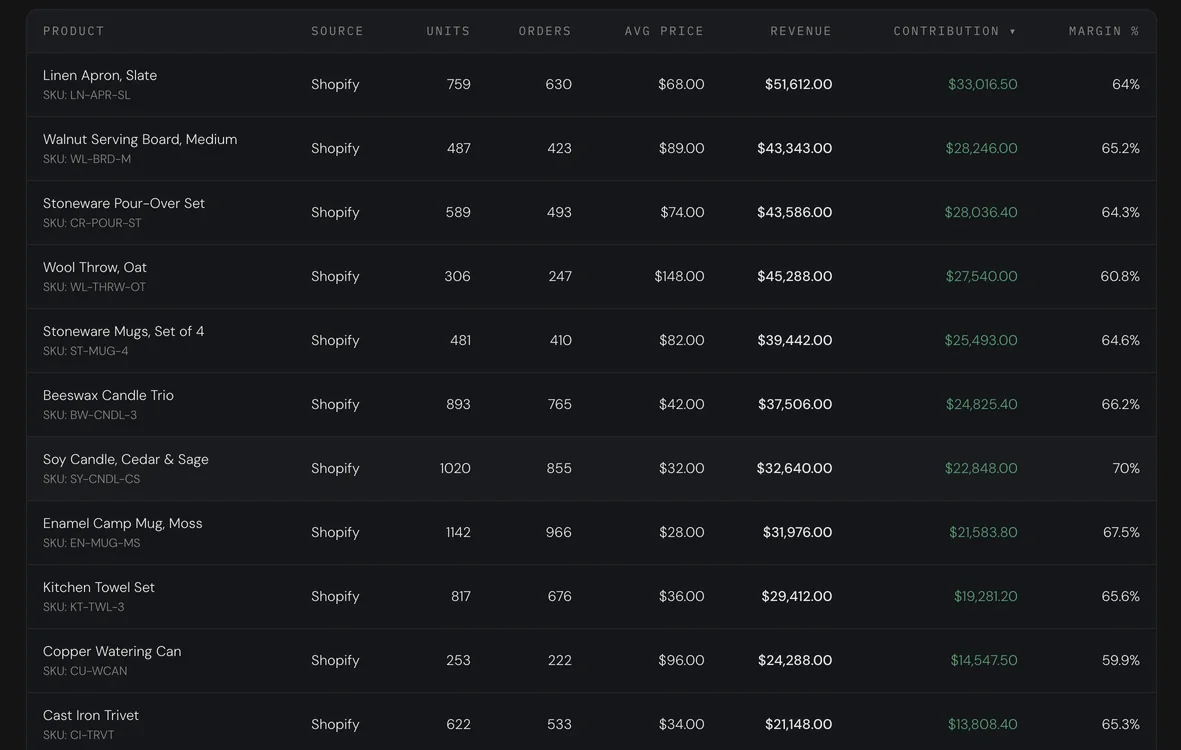
Revenue, processing fees, shipping, ads and cost of goods, against last month. Then the same thing per product, with the margin beside it.

01Payouts post with fees, refunds and tax already split out
02Cost of goods relieved from stock as each order ships
03Refund rate, sale-to-payout days and repeat customers, month over month
The store overview for August: total sales, tax collected, fees, payout and estimated margin, then a store contribution waterfall against the prior month.
Products ranked by contribution, with units, orders, revenue and margin percent per product.
Everything else

The rest of the job, quietly

The whole bookkeeping, not a slice of it. There when you need it, out of the way when you do not.

  • 01Invoices, quotes and jobs
  • 02Bank feeds through Plaid, or statements
  • 03Receipts from your phone
  • 04Vendor rules that code the next bill
  • 05Bills and accounts in other currencies
  • 06Month-end reconciliation
  • 07A reporting pack, emailed on schedule
  • 08Accountant access and working papers
  • 09Exports to QuickBooks and Xero
  • 10Desktop app for Mac and Windows
Trust

Built to be trusted with your numbers

Your own database

Every business gets its own database schema, with row-level security enforced by the database itself, not by application code.

Encrypted per business

Documents and personal data are encrypted at rest with a key that belongs to your business alone.

Canadian, and answerable

Talisk Technologies Inc., British Columbia. PIPEDA applies, and the security page says exactly what we do and what we do not.

Pricing

Simple plans, in Canadian dollars

Free
$0/mo

Your inbox, one set of books and five bill scans a month.

Pro
$79/mo

Unlimited AI for one store: drafts, invoices and bill scans.

Business
$119/mo

Two sets of books, unlimited stores and team seats.

Partner
$129/mo

For bookkeepers. Every client from one login, each in their own books.

Compare the plans Upgrade, downgrade or cancel anytime.

Start with your inbox

Connect Gmail or Outlook, add your store and your bank. The rest is already done.